SMART SERVO LESSON STRUCTURE v5.0
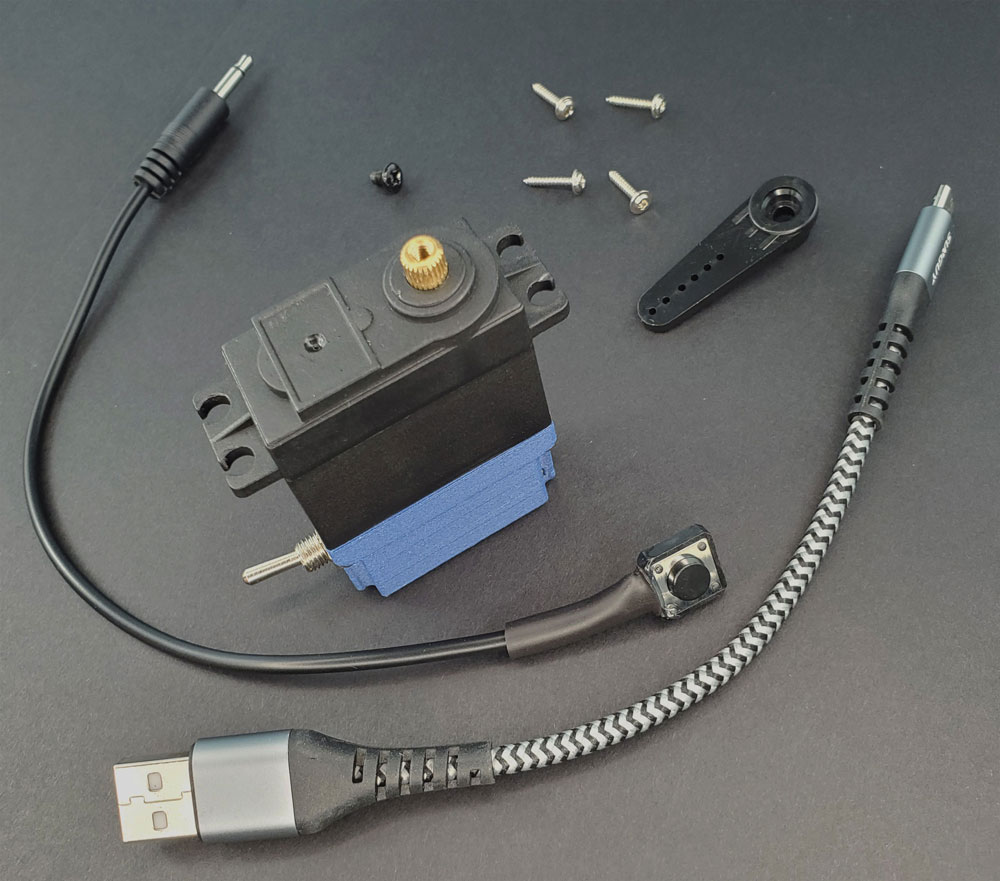
LESSON SNAPSHOT
| Kit | Getting Started with the Smart Servo - Student Guide 1 |
|---|---|
| Client | None (Foundational Skills) - This kit establishes core competencies in physical computing, basic assembly, and CircuitPython programming that will be applied to client-centered projects in subsequent kits. |
| Core Concept | Physical computing: transforming digital code into physical action through sensors, microcontrollers, and actuators |
| Prerequisites | None - This is the entry point for the Smart Servo curriculum |
| Student Guide | tinyurl.com/SmartServoSnips |
⚠️ Safety Considerations
- Electrical safety: USB power only; never modify power supply connections
- Servo operation: Keep fingers clear of moving servo horns during testing
- Cable management: Secure USB cables to prevent tripping hazards
What This Kit Teaches
Engineering/Design Focus: This foundational kit introduces students to physical computing—the integration of hardware and software to create systems that sense and respond to the physical world. Students learn how microcontrollers execute code in real-time, how input devices (buttons, switches) trigger responses, and how actuators (servo motors) create controlled motion. Through iterative programming with CircuitPython, students develop computational thinking skills while building understanding of the sense-think-act cycle that underlies all robotics and interactive technology.
Human-Centered Design Connection: While this kit focuses on technical foundations rather than a specific client, it establishes the core capabilities students will use throughout the curriculum to create assistive technology solutions. Understanding how code translates to physical action is essential for designing devices that reliably respond to users with varying abilities.
Standards at a Glance: Primary domains are CSTA, CAD, NGSS Practices, STEL - See page 6 for complete alignment
ESSENTIAL TEACHING MOMENTS
These are the key concepts worth pausing to discuss during the lesson. They align with steps in the student guide.
Moment 1: Physical Computing as Translation
Student Guide Reference: "The Bigger Picture" section (final pages)
Core Idea: Physical computing bridges digital code and physical action, creating systems where sensors detect the world, code makes decisions, and actuators respond.
Why It Matters: This foundational concept underlies all assistive technology and robotics—understanding this relationship is essential for creating devices that reliably serve users with disabilities.
Discussion Prompts to Consider:
- "What's the difference between a program that displays information on a screen and code that makes something move in the real world?"
- "Can you trace the path from button press to servo movement? What role does each component play?"
- "Where have you seen this sense-think-act cycle in everyday technology?"
Watch For: Students may think the servo "knows" what to do automatically. Emphasize that every action requires explicit code instructions.
Moment 2: Toggle Switch as Safety Mechanism
Student Guide Reference: Steps 4-6, Code Snippet 2
Core Idea: The toggle switch creates an armed/safe mode system, demonstrating how engineered safety mechanisms prevent unintended activation—critical in assistive technology design.
Why It Matters: Users with limited motor control need devices that won't activate accidentally; building safety into the system from the start is good engineering practice.
Discussion Prompts to Consider:
- "Why might someone using assistive technology need a device that won't activate by accident?"
- "What other safety mechanisms have you seen in tools or devices?"
- "How does the LED color system help users understand the device's state?"
Extension Opportunity: Have students research accessibility standards that require safety features (e.g., two-step activation, clear status indicators).
Moment 3: Feedback Loops and Iteration
Student Guide Reference: Section 4 (Feedback Loop), working through code snippets
Core Idea: The Smart Servo's real-time compilation creates a rapid edit-save-test cycle, enabling iterative development where each test informs the next modification.
Why It Matters: Iterative testing is central to engineering design; the ability to quickly test ideas accelerates learning and leads to better solutions.
Discussion Prompts to Consider:
- "How is this feedback loop different from writing an essay where you only see results after you're 'done'?"
- "What did you learn from something that didn't work the way you expected?"
- "How might rapid iteration help when designing for a specific user's needs?"
Demo/Visual Aid Suggestion: Live code a simple change (like LED blink speed) to demonstrate the immediate feedback loop. Show how errors provide information rather than failures.
Moment 4: Standard Interfaces Enable Universal Access
Student Guide Reference: Step 3 (3.5mm AUX jack for buttons)
Core Idea: The 3.5mm AUX jack is an industry standard for assistive technology buttons, meaning the Smart Servo can work with any accessible switch—demonstrating how technical standards enable interoperability and user choice.
Why It Matters: Universal design principles and technical standards ensure assistive technology can adapt to individual needs rather than forcing users to adapt to technology.
Discussion Prompts to Consider:
- "Why is it valuable that all assistive technology buttons use the same connector?"
- "What would happen if every device required its own special switch?"
- "How does this standard interface give users more control and choices?"
MATERIALS & PREPARATION
WHAT STUDENTS NEED
- Smart Servo device (1 per student or pair)
- Test button (included with Smart Servo)
- Micro-USB cable (included)
- Power source: USB power bank, laptop USB port, or USB wall charger
- Included servo horns (2-3 options)
- Small Phillips head screwdriver (#1)
- Computer with text editor installed
- Student Guide (printed or digital access)
What You Need to Prepare
- Pre-build/test one Smart Servo setup to familiarize yourself with connections, light indicators, and code structure
- Install text editor on student computers (Code Pad for Chromebooks, Sublime Text for Mac/PC, or Circuit Python Code web-based)
- Download backup code files from tinyurl.com/SmartServoSnips in case students need to restore original code
- Set up workstations with adequate USB ports and table space for laptops and Smart Servos
- Prepare power sources - determine whether students will use power banks, laptop USB, or wall adapters
- Review CircuitPython basics - familiarize yourself with syntax, especially lists, loops, and conditionals
- Test text editor installation on one student machine to troubleshoot any access or permission issues
- Create visual reference poster showing light indicator meanings (Red=Safe, Yellow=Testing, Green=Armed, Blue=Activated)
Quick Troubleshooting Reference
| If students struggle with... | First, check... | Then try... |
|---|---|---|
| Smart Servo doesn't power on | USB cable is fully inserted; power source is on | Try different USB port or power source; check cable integrity |
| CIRCUITPY drive doesn't appear | USB cable is a data cable (not charge-only); cable fully inserted | Restart computer; try different cable; check Device Manager (PC) or System Information (Mac) |
| Code changes don't take effect | Code was saved after editing; no syntax errors preventing compilation | Check for Serial output errors; reload CIRCUITPY drive; restore from backup |
| Servo doesn't move when armed | Toggle switch is in armed position (green light); button is fully connected | Test button in safe mode (yellow light should appear); check servo horn is secured |
1. ENGAGE: UNDERSTANDING THE CHALLENGE
Learning Focus: Students understand the concept of physical computing and why the Smart Servo represents a complete sense-think-act system.
Suggested Activities
Introduction to Physical Computing:
- Begin with examples: "What devices in this room respond to your actions?" (automatic doors, lights with sensors, thermostats)
- Reveal the concept: These all use physical computing—code that makes decisions based on real-world input
- Consider: Interactive demonstration where you control something with code (change LED color on screen vs. physically light an LED)
Preview the System:
- Show the Smart Servo's components: input (button, toggle), processor (microcontroller running code), output (servo motor, LED)
- Discuss: "What will we learn to control? What kinds of movements or responses could be useful?"
- Frame the progression: "We're building foundations now that you'll use to create assistive technology for real clients"
Formative Assessment Ideas:
- Can students identify the three components of physical computing (sense, think, act)?
- Do they understand that the Smart Servo contains all necessary components in one device?
- Can they articulate why learning these foundations matters for future client-centered work?
Standards Connection: Primary: CSTA: Computing Systems - Devices (Describe computing device parts and functions), STEL 2M (Systems: inputs, processes, outputs, feedback), NGSS Practice 2 (Developing and using models)
2. EXPLORE: BUILDING & DISCOVERING
Learning Focus: Students develop hands-on competency with Smart Servo connections, learn to interpret status indicators, and begin modifying code through structured experimentation.
Facilitation Approach
Hardware Setup (Parts 1-6 in Student Guide):
- Students work through connections systematically: power, button, servo horn
- Circulate to verify proper connections before students test armed mode
- Use Teaching Moment #2 when discussing toggle switch function (pause to discuss safety mechanisms)
- Encourage observation: "What do the different light colors tell you? Why might that information be important?"
Introduction to Code (Sections 1-3):
- Guide text editor installation and CIRCUITPY drive access
- Model opening code.py and navigating the file structure
- Demonstrate the apostrophe technique for activating code snippets (''' → '')
- Use Teaching Moment #3 to frame the feedback loop before students begin experimenting
Systematic Code Exploration (Snippets 1-10):
- Students activate and test each snippet sequentially
- Encourage small modifications: "Change one number, save, and observe what happens"
- Strategic pause points: After Snippet 4 (neopixel color), discuss RGB color mixing; After Snippet 6 (servo control), discuss angle measurement
- Guide troubleshooting: "Before asking for help, check: Did you save? Are the apostrophes correct? Is indentation preserved?"
Formative Assessment Ideas:
- Can students correctly connect power, button, and servo horn independently?
- Do they interpret light indicators accurately?
- Can they locate and edit code.py using their text editor?
- Are they making intentional modifications to code variables and observing effects?
- Do they use the feedback loop to test hypotheses about how code changes affect behavior?
Standards Connection: Primary: CAD 1.2 (Assembly/fabrication), CSTA: Algorithms & Programming - Control (Programming control structures), NGSS Practice 3 (Planning and carrying out investigations), STEL 2M (Systems thinking - inputs, outputs, feedback)
3. EXPLAIN: MAKING SENSE OF CONCEPTS
Learning Focus: Students connect hands-on experience to key concepts in physical computing, understand code structure, and articulate how the sense-think-act cycle operates in their Smart Servo system.
Suggested Sequence
Process the Experience:
- Reflection: "What surprised you most when testing code snippets? Which snippet felt most powerful?"
- Gallery walk: Have students demonstrate one interesting code modification to peers
- Consolidate observations: Create class chart of "What Each Component Does" (button, toggle, LED, neopixel, servo)
Explore Core Concepts:
- Physical Computing: Use "The Bigger Picture" content from student guide; contrast with traditional programming
- Sense-Think-Act Cycle: Map the cycle explicitly using the Smart Servo (Button/Toggle=Sense, Code=Think, Servo/Light=Act)
- Real-Time Compilation: Discuss how the feedback loop works; contrast with compiled languages
- Control Structures: Identify loops, conditionals, and variables students encountered in snippets
Teaching Strategies to Consider:
- Create visual flow charts of snippet logic (especially Snippets 7-10 with loops and conditionals)
- Use physical analogy: "Code is like a recipe—the microcontroller follows instructions exactly"
- Use Teaching Moment #1: Deep dive into physical computing concept with multiple examples
- Compare/contrast: Traditional program (calculator app) vs. physical computing (Smart Servo)
- Think-pair-share: "Where else do you see sense-think-act cycles in technology?"
Connect to Future Applications:
- Preview: "How might you use these skills to help someone who needs assistive technology?"
- Use Teaching Moment #4: Discuss how standard interfaces (3.5mm jack) enable universal access
- Consider: What types of movements or responses would be useful for different users?
Formative Assessment Ideas:
- Can students explain physical computing using their own examples?
- Can they trace the sense-think-act cycle in the Smart Servo system?
- Do they accurately describe what loops and conditionals do in code?
- Can they connect technical features to potential assistive technology applications?
Standards Connection: Primary: CAD 1.1 (Technical vocabulary), CSTA: Computing Systems - Hardware & Software (Model hardware and software system interactions), NGSS Cross-Cutting Concept: Cause and Effect (How code changes affect servo behavior), STEL 3D (Technology solving problems that couldn't be solved otherwise)
4. ELABORATE: EXTENSION & APPLICATION
Learning Focus: Students apply foundational skills to new contexts, explore advanced programming concepts, or investigate assistive technology applications.
Extension Menu
Choose based on available time, student readiness, and learning priorities
Option A: Custom Movement Pattern Design
What Students Do: Program a complex servo movement pattern (dance routine, gesture, functional motion sequence)
Skills Developed: Sequencing, loops, timing control, creative application of code
Possible Deliverables: Documented code with comments explaining movement choices, video demonstration
Good For: Students who enjoyed Snippets 6-7 and want deeper programming practice
Standards: CSTA (Control structures), NGSS Practice 5 (Computational thinking)
Estimated Time: 30-45 minutes
Option B: Multi-Input System Design
What Students Do: Modify code to use both button and toggle switch to control different servo behaviors (e.g., toggle selects mode, button activates)
Skills Developed: Conditional logic, state management, complex control systems
Possible Deliverables: Flowchart of logic + working code
Good For: Students ready for more sophisticated programming challenges
Standards: CSTA (Complex control structures), STEL 2M (System components)
Estimated Time: 45-60 minutes
Option C: Assistive Technology Research & Proposal
What Students Do: Research existing assistive technology devices, identify one that uses similar components (button input, motor output), and propose how the Smart Servo could replicate or improve it
Skills Developed: Research, analysis, connecting technical capabilities to user needs
Possible Deliverables: Research summary with sketches or diagrams showing proposed application
Good For: Preparing students for client-centered projects in future kits
Standards: HCD #1 (Problem framing), STEL 1Q (Research to inform design), STEL 6C (Historical solutions)
Estimated Time: 45-60 minutes
Option D: LED Communication System
What Students Do: Design a light-based communication system using the neopixel (color codes for messages, patterns for alerts)
Skills Developed: Visual communication design, color theory application, user interface thinking
Possible Deliverables: Color code key + demonstration of messaging system
Good For: Students interested in interface design and visual feedback
Standards: HCD #2 (Stakeholder communication), STEL 4N (Communication technologies)
Estimated Time: 30-40 minutes
Option E: Troubleshooting Documentation Creation
What Students Do: Create illustrated troubleshooting guide for common Smart Servo issues based on their experience
Skills Developed: Technical documentation, systematic problem-solving, communication
Possible Deliverables: Illustrated guide with "If/Then" format
Good For: Students who enjoy helping others and technical writing
Standards: CAD 1.3 (Technical documentation), HCD #2 (Engineering communication)
Estimated Time: 30-45 minutes
5. EVALUATE: DEMONSTRATING LEARNING
Learning Focus: Students demonstrate competency in Smart Servo setup, code modification, and understanding of physical computing concepts.
Recommended Assessment: Technical Demonstration & Explanation
What Students Do: Successfully set up the Smart Servo, demonstrate one modified code snippet, and explain how the sense-think-act cycle operates in their system
What You Assess:
- Assembly accuracy (correct connections, secured servo horn, functional setup)
- Code modification (intentional change that produces desired outcome)
- Conceptual explanation (accurate description of how input → code → output works)
- Technical vocabulary (correct use of terms: microcontroller, servo, input, output, loop, conditional)
Evidence: Completed working setup + verbal or written explanation (see rubric below)
Assessment Rubric
| Criterion | Developing | Proficient | Advanced |
|---|---|---|---|
| Hardware Setup | Setup incomplete or has errors preventing function; requires significant help | All connections correct and functional (power, button, servo horn); device operates as expected | Setup completed independently with attention to cable management and secure connections; troubleshoots own issues |
| Code Modification | Attempts modification but code doesn't produce intended outcome; struggles with syntax | Makes intentional code modification that produces desired outcome; saves and tests appropriately | Creates purposeful modification demonstrating understanding of control structures; explains why change produces specific result |
| Sense-Think-Act Cycle | Identifies components but cannot explain relationships or information flow | Accurately traces path from input through code to output; explains each component's role | Explains cycle with precise technical vocabulary; connects to broader physical computing applications beyond Smart Servo |
| Technical Vocabulary | Uses everyday language; few or incorrect technical terms | Uses key terms correctly (microcontroller, servo, input, output, loop, conditional) in context | Uses technical vocabulary naturally and precisely; defines terms clearly and provides accurate examples |
| Troubleshooting Approach | Asks for help immediately when encountering issues; unclear problem description | Uses systematic approach (check connections, verify code syntax) before requesting help | Independently diagnoses and resolves issues; explains problem-solving process |
Reflection Prompts
Choose 2-3 based on your learning priorities
- Process: What was your most challenging moment while working with the Smart Servo? How did you move past it?
- Concept: Explain physical computing to someone who's never heard the term. Use an example from your experience.
- Transfer: Where do you see the sense-think-act cycle in devices you use every day? Pick one and trace the cycle.
- Future Application: How might the skills you learned today help someone who has difficulty using standard tools or devices?
- Growth: What's one thing you learned about how code works that you didn't understand before?
CONNECTIONS & CONTEXT
Learning Sequence
What Students Already Know (Prerequisites):
This is the entry point for the Smart Servo curriculum. Students need no prior experience with physical computing, CircuitPython, or microcontrollers. Basic computer literacy (saving files, using a text editor) is helpful but can be taught as needed.
What's New in This Kit:
- Physical computing concept (code controlling physical devices)
- Smart Servo hardware components and connections
- CircuitPython basics (variables, loops, conditionals)
- Real-time code compilation and testing
- Sense-think-act cycle in robotic systems
- Safety mechanisms in assistive technology design
Where This Leads (in future kits):
- Kit 2 (Flexible Mounting - Reach Extender): Applies programming skills to control position and timing for a wheelchair-mounted hand-raising device
- Kit 3 (Gear Systems - Steady Display): Introduces mechanical advantage; builds on servo control with multi-gear coordination
- Kits 4-11: Progressive complexity in both mechanical design and programming, all building on the foundational sense-think-act understanding established here
Cross-Curricular Connections
Mathematics: Angles and rotation appear when programming servo positions (0-180 degrees in Snippet 6); RGB color mixing in Snippet 4 provides application of ratios and proportions (0-255 values); timing calculations in loops introduce rate concepts (delay in milliseconds)
Science: Electrical circuits demonstrated through USB power and button connections (closed vs. open circuits); energy transformation from electrical to mechanical in the servo motor; systems thinking through sense-think-act cycle (inputs, processes, outputs)
Social Studies: Assistive technology history and legislation (ADA requirements for accessibility); universal design principles (how technical standards like 3.5mm jack enable inclusion); technology's societal impact (how physical computing changes human capabilities)
English/Language Arts: Technical writing in code comments and documentation; procedural writing when creating troubleshooting guides or setup instructions; vocabulary development with domain-specific terms (microcontroller, actuator, iteration)
APPENDIX
Complete Standards Alignment
CAD Competencies
| Code | Competency | Where Addressed | How to Emphasize |
|---|---|---|---|
| CAD 1.1 | Technical vocabulary | Phase 2 (Building), Phase 3 (Explain) - Terms introduced: microcontroller, servo, actuator, input/output, loop, conditional, compilation | Create word wall; require vocabulary use in explanations; have students define terms with Smart Servo examples |
| CAD 1.2 | Assembly/fabrication | Phase 2 (Building) - Parts 1-6 in student guide: connecting power, button, servo horn | Observe technique; emphasize secure connections; assess functional assembly as part of demonstration |
| CAD 1.3 | Technical documentation | Phase 4 (Extension Option E) or Phase 5 (Portfolio assessment) - Code comments, troubleshooting guides | Provide documentation templates; model clear technical writing; emphasize audience awareness |
| CAD 1.4 | Professional communication | Phase 5 (Evaluate) - Explaining sense-think-act cycle and code modifications | Use sentence frames; require technical vocabulary; practice explaining to non-technical audiences |
CSTA Computer Science Standards
| Code | Where Addressed | How to Emphasize |
|---|---|---|
| Computing Systems: Devices (Describe parts/functions) |
Phase 2 (Building) Parts 1-4; Phase 3 (Explain) systems discussion | Have students label Smart Servo diagram; explain role of each component in the sense-think-act cycle |
| Computing Systems: Hardware & Software (Model interactions) |
Phase 3 (Explain) - Mapping sense-think-act; Extension Option B | Build visual models showing code controlling hardware; use flowcharts |
| Algorithms & Programming: Control | Phase 2 (Snippets 1-10) - Progression from simple sequences to complex control | Identify control structures in code; modify to see effects; create flowcharts of logic |
HCD Skills & Tools
| Code | Skill/Tool | Where Addressed | How to Emphasize |
|---|---|---|---|
| HCD #1 | Problem Framing | Phase 1 (Engage) - Physical computing as solution approach; Extension Option C | Discuss what problems physical computing can solve; preview client-centered work in future kits |
| HCD #2 | Engineering Communication | Phase 3 (Explain), Phase 5 (Evaluate) - Technical explanations | Practice translating technical concepts to various audiences; use precise vocabulary |
| HCD #8 | Iteration Cycles | Phase 2 (Feedback Loop) - Edit-save-test cycle throughout snippets | Name the iterative process explicitly; celebrate learning from unexpected outcomes |
NGSS Science & Engineering Practices
| Practice | Where Addressed | How to Emphasize |
|---|---|---|
| Practice 2 Developing and using models |
Phase 3 (Explain) - Sense-think-act model; flowcharts of code logic | Create visual models; discuss how models help us understand complex systems |
| Practice 3 Planning and carrying out investigations |
Phase 2 (Explore) - Systematic testing of code snippets | Guide methodical approach: change one variable, observe, document |
| Cross-Cutting Concept: Cause and Effect | Throughout - every code modification produces observable effect | Make cause-effect explicit: "When we change this line, the servo does..." |
STEL Standards
| Code | Standard | Where Addressed | How to Emphasize |
|---|---|---|---|
| STEL 2M | Systems (inputs, processes, outputs, feedback) | Throughout - Smart Servo exemplifies complete system | Label system components; trace signal flow; discuss feedback loops |
| STEL 3D | Technology solving problems that couldn't be solved otherwise | Teaching Moment #1 - Physical computing enabling new solutions | Discuss problems that require physical action; preview assistive applications |
| STEL 7S | Human factors in design | Teaching Moment #4 - Standard interfaces; Teaching Moment #2 - Safety mechanisms | Discuss how technical choices affect users; consider accessibility from the start |
Sample Assessment Rubric
Technical Demonstration & Explanation - Smart Servo Setup and Physical Computing Understanding
| Criterion | Developing | Proficient | Advanced |
|---|---|---|---|
| Hardware Setup | Setup incomplete or has errors preventing function; requires significant help | All connections correct and functional (power, button, servo horn); device operates as expected | Setup completed independently with attention to cable management and secure connections; troubleshoots own issues |
| Code Modification | Attempts modification but code doesn't produce intended outcome; struggles with syntax | Makes intentional code modification that produces desired outcome; saves and tests appropriately | Creates purposeful modification demonstrating understanding of control structures; explains why change produces specific result |
| Sense-Think-Act Cycle | Identifies components but cannot explain relationships or information flow | Accurately traces path from input through code to output; explains each component's role | Explains cycle with precise technical vocabulary; connects to broader physical computing applications beyond Smart Servo |
| Technical Vocabulary | Uses everyday language; few or incorrect technical terms | Uses key terms correctly (microcontroller, servo, input, output, loop, conditional) in context | Uses technical vocabulary naturally and precisely; defines terms clearly and provides accurate examples |
| Troubleshooting Approach | Asks for help immediately when encountering issues; unclear problem description | Uses systematic approach (check connections, verify code syntax) before requesting help | Independently diagnoses and resolves issues; explains problem-solving process |
Key Vocabulary
Students should be able to define and use these terms:
Physical Computing: The creation of systems that bridge digital code and physical action, where sensors detect the world, code makes decisions, and actuators respond.
Example: The Smart Servo is a physical computing device—button presses (sensing) trigger code (thinking) that moves the servo motor (acting).
Microcontroller: A small computer on a single chip that executes code to control inputs and outputs in real-time.
Example: The Smart Servo's microcontroller runs CircuitPython code and controls all the device's functions.
Servo Motor (Actuator): A motor that can rotate to specific angles with precision, controlled by electronic signals.
Example: The Smart Servo's motor can rotate to any position between 0 and 180 degrees based on code instructions.
Input Device: A component that detects physical actions or conditions and sends signals to the microcontroller.
Example: The button and toggle switch are input devices that tell the Smart Servo when to activate or change modes.
Output Device: A component that produces a physical response based on code instructions.
Example: The servo motor and LED lights are output devices that show the results of code execution.
Sense-Think-Act Cycle: The fundamental process in physical computing where sensors gather information (sense), code processes it (think), and actuators respond (act).
Example: When you press the button (sense), the code checks if the device is armed (think), then moves the servo (act).
Loop (FOR Loop): A programming structure that repeats a set of instructions multiple times.
Example: Snippet 5 uses a FOR loop to gradually change LED colors, creating a fading effect.
Conditional (IF Statement): A programming structure that makes decisions based on whether conditions are true or false.
Example: The code checks IF the toggle switch is in armed mode THEN it allows the servo to move.
Real-Time Compilation: The process where code is automatically interpreted and executed immediately upon saving, without a separate build step.
Example: When you save code.py, the Smart Servo runs the new code instantly, creating the rapid feedback loop.
Feedback Loop: The iterative cycle of making changes, testing results, and refining based on observations.
Example: The edit-save-test process you use when modifying code snippets is a feedback loop.